# Edit and route edges
Use an edge specification for semantic intent, then let the mounted diagram route and edit the
geometry. This page shows obstacle avoidance, endpoint reconnection, and editable waypoints in
JavaScript, Angular, Qwik, React, and Vue.
## Choose the edge geometry
An [`EdgeSpec`](https://atloria.dev/p/grafloria-h7YM7amryF/developer/grafloria-renderer-instance-edgespec#edgespec) needs only `source` and `target`.
Set `type` for the line's shape and `router` for the path it takes. `orthogonal` produces
right-angle segments; `manhattan` uses grid-based right-angle routing; `avoid` routes around nodes
and re-routes as they move; `elk` uses the ELK edge router. `connector` changes how the routed
segments are drawn.
In JavaScript, [`render`](https://atloria.dev/p/grafloria-h7YM7amryF/developer/grafloria-element-core#render) mounts the spec and returns a live
[`DiagramInstance`](https://atloria.dev/p/grafloria-h7YM7amryF/developer/grafloria-renderer-instance-diagraminstance#diagraminstance). The following
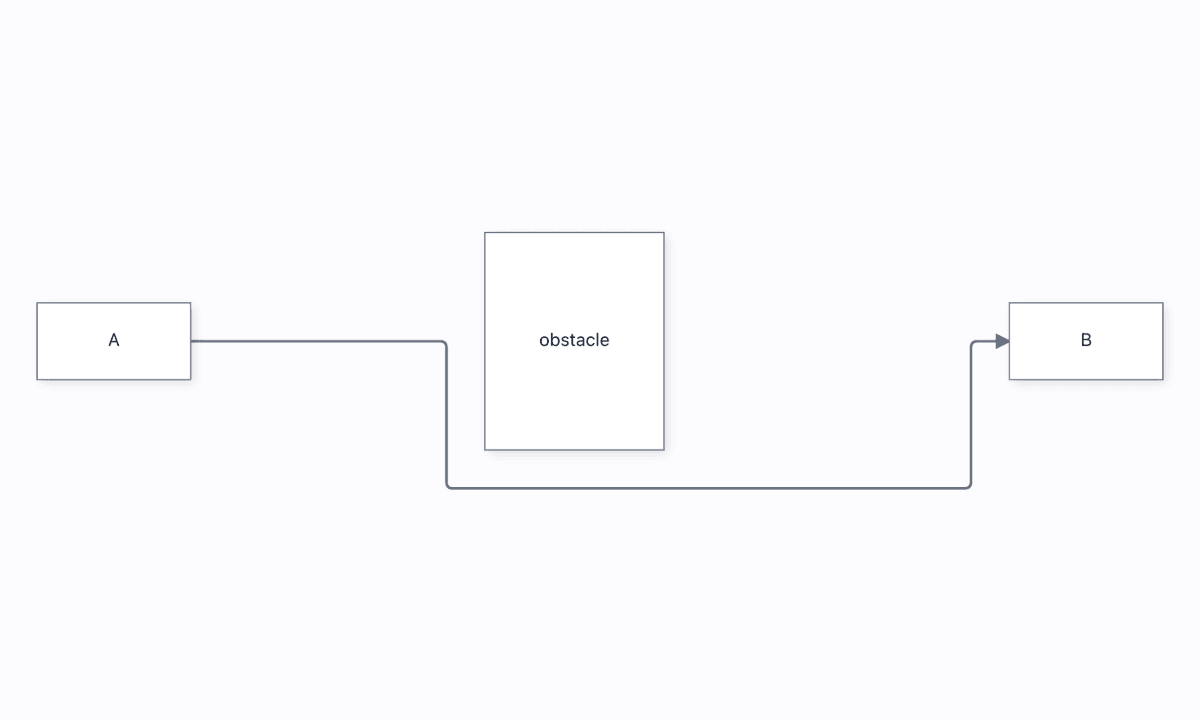
mounted diagram puts a wall between A and B. The `avoid` edge bends around it rather
than crossing it. Replace `avoid` with `orthogonal`, `manhattan`, or `elk` when you want to choose a
different router.
:::code-group
```js title="JavaScript"
import { render } from '@grafloria/element';
const host = document.getElementById('diagram');
if (!host) throw new Error('Missing #diagram');
host.style.height = '100vh';
const nodes = [
{ id: 'a', position: { x: 80, y: 305 }, size: { width: 120, height: 60 }, label: 'A' },
{ id: 'b', position: { x: 840, y: 305 }, size: { width: 120, height: 60 }, label: 'B' },
{ id: 'wall', position: { x: 430, y: 250 }, size: { width: 140, height: 170 }, label: 'obstacle' },
];
const edges = [{ id: 'e1', source: 'a', target: 'b', router: 'avoid', connector: 'rounded' }];
const instance = render({ nodes, edges }, host);
instance.fitView();
```
```ts title="Angular"
import { Component } from '@angular/core';
import { DiagramCanvasComponent } from '@grafloria/angular';
@Component({
standalone: true,
imports: [DiagramCanvasComponent],
template: ``,
})
export class RoutedEdgesComponent {
nodes = [
{ id: 'a', position: { x: 80, y: 305 }, size: { width: 120, height: 60 }, label: 'A' },
{ id: 'b', position: { x: 840, y: 305 }, size: { width: 120, height: 60 }, label: 'B' },
{ id: 'wall', position: { x: 430, y: 250 }, size: { width: 140, height: 170 }, label: 'obstacle' },
];
edges = [{ id: 'e1', source: 'a', target: 'b', router: 'avoid', connector: 'rounded' }];
}
```
The same mounted instance is exposed by [`GrafloriaFlow`](https://atloria.dev/p/grafloria-h7YM7amryF/developer/grafloria-qwik#grafloriaflow) in the
Qwik binding; the React, Vue, and Angular bindings use the same engine and edge data.
```tsx title="Qwik"
import { component$ } from '@builder.io/qwik';
import { GrafloriaFlow } from '@grafloria/qwik';
const nodes = [
{ id: 'a', position: { x: 80, y: 305 }, size: { width: 120, height: 60 }, label: 'A' },
{ id: 'b', position: { x: 840, y: 305 }, size: { width: 120, height: 60 }, label: 'B' },
{ id: 'wall', position: { x: 430, y: 250 }, size: { width: 140, height: 170 }, label: 'obstacle' },
];
const edges = [{ id: 'e1', source: 'a', target: 'b', router: 'avoid' as const, connector: 'rounded' as const }];
export default component$(() => (
));
```
```tsx title="React"
import { GrafloriaFlow } from '@grafloria/react';
const nodes = [
{ id: 'a', position: { x: 80, y: 305 }, size: { width: 120, height: 60 }, label: 'A' },
{ id: 'b', position: { x: 840, y: 305 }, size: { width: 120, height: 60 }, label: 'B' },
{ id: 'wall', position: { x: 430, y: 250 }, size: { width: 140, height: 170 }, label: 'obstacle' },
];
const edges = [{ id: 'e1', source: 'a', target: 'b', router: 'avoid' as const, connector: 'rounded' as const }];
export default function RoutedEdges() {
return
;
}
```
```vue title="Vue"
```
:::
The wire visibly detours around the wall. Move the wall through the corridor and the route follows
it; remove the wall and the clear route becomes a two-point line. See the [edge routing demo](https://grafloria.com/demos/edges/edge-routing.html).
## Reconnect an endpoint
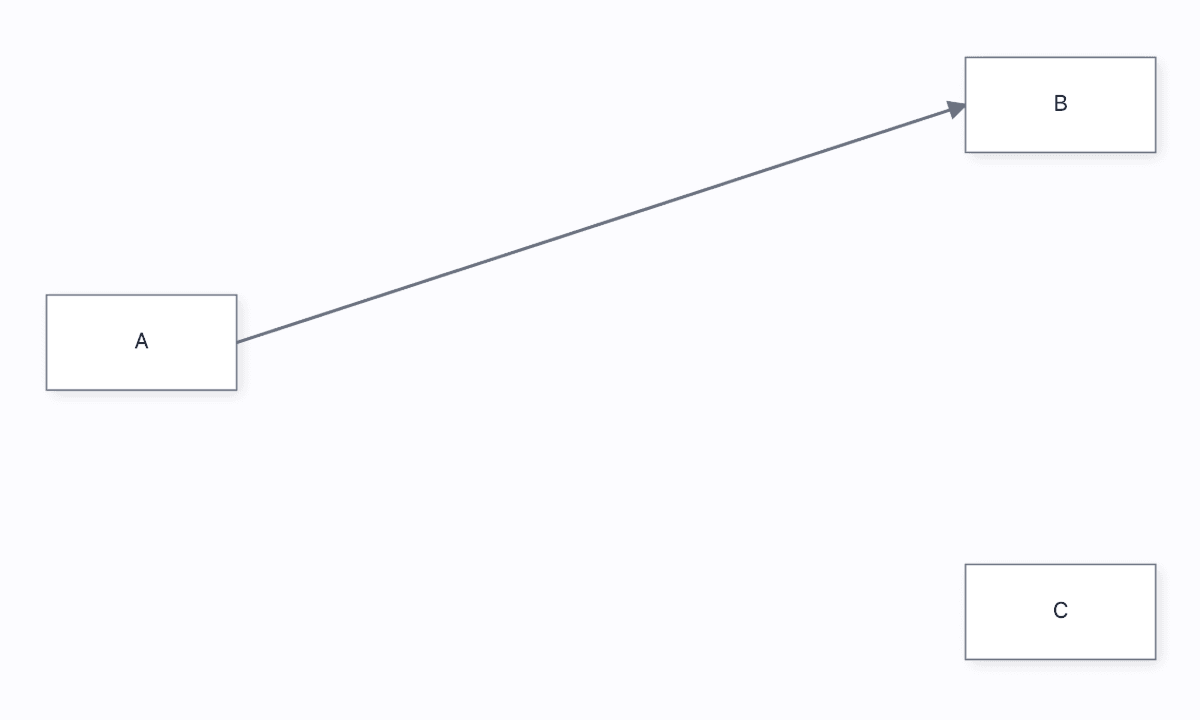
Select an edge, then drag its endpoint handle onto another node's port. The mounted diagram changes
the link from A→B to A→C and emits the `reconnect` event. Pin handles when the endpoint must land on
a particular side.
```js
import { render } from '@grafloria/element';
const host = document.getElementById('diagram');
if (!host) throw new Error('Missing #diagram');
host.style.height = '100vh';
const instance = render({
nodes: [
{ id: 'a', position: { x: 80, y: 260 }, size: { width: 120, height: 60 }, label: 'A' },
{ id: 'b', position: { x: 660, y: 110 }, size: { width: 120, height: 60 }, label: 'B' },
{ id: 'c', position: { x: 660, y: 430 }, size: { width: 120, height: 60 }, label: 'C' },
],
edges: [{ id: 'e1', source: 'a', target: 'b', sourceHandle: 'right', targetHandle: 'left', type: 'direct' }],
}, host);
const unsubscribe = instance.on('reconnect', ({ link }) => {
console.log(`edge now targets ${link.targetNodeId}`);
});
// Keep `unsubscribe` and call it from your host's unmount or teardown hook.
```
The selected edge displays endpoint handles; dropping the target handle on C rewires the existing
edge, rather than creating a second edge. The change is one undoable edit. See the [reconnect edge demo](https://grafloria.com/demos/edges/reconnect-edge.html).
## Add editable waypoints
Waypoint editing is opt-in. Enable it through the mounted diagram's interaction configuration,
select an edge, click its path to add an interior point, then drag that point. The endpoints remain
attached to their nodes, and each bend is one undoable edit.
```js
import { render } from '@grafloria/element';
const host = document.getElementById('diagram');
if (!host) throw new Error('Missing #diagram');
host.style.height = '100vh';
const instance = render({
nodes: [
{ id: 'a', position: { x: 120, y: 260 }, size: { width: 120, height: 60 }, label: 'A' },
{ id: 'b', position: { x: 660, y: 260 }, size: { width: 120, height: 60 }, label: 'B' },
],
edges: [{ id: 'e1', source: 'a', target: 'b', type: 'direct' }],
}, host, { interaction: { enableWaypointEditing: true, showWaypointHandles: true } });
instance.renderNow();
```
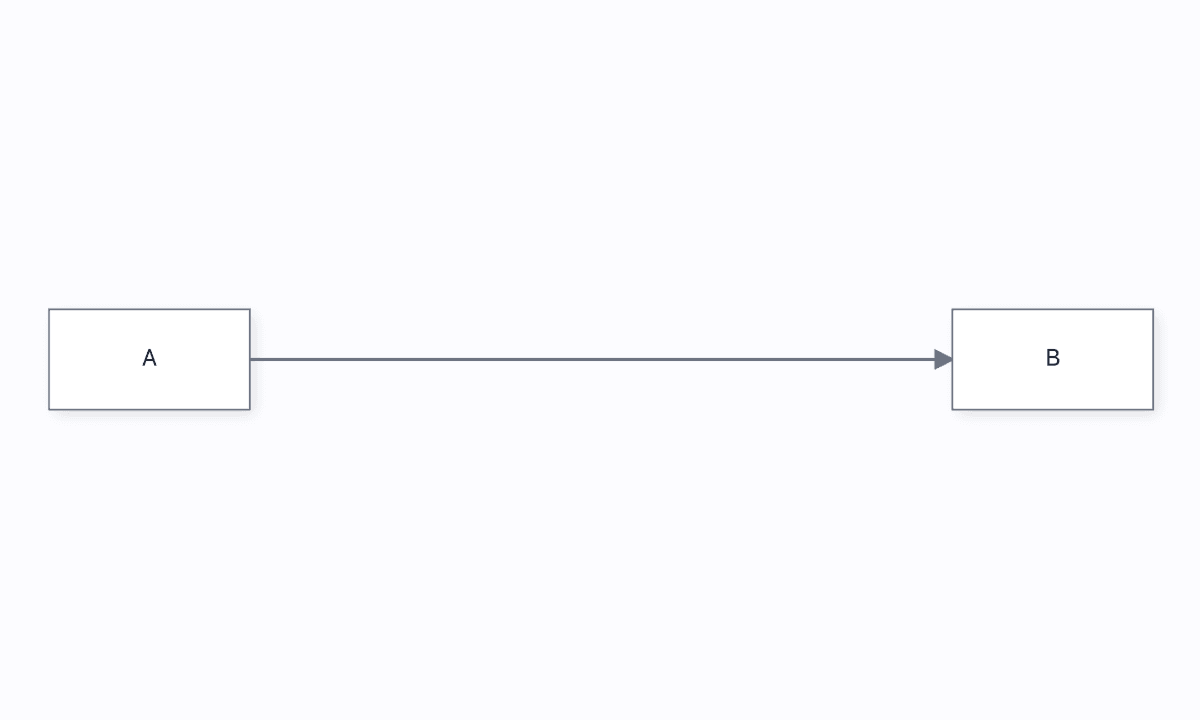
The selected line gains a handle at the clicked position; dragging it bends the route while A and B
stay fixed. `points` contains the resulting interior coordinates, so an edited route can be saved
and restored as edge data. See the [editable edge demo](https://grafloria.com/demos/edges/editable-edge.html).
For a saved route, pass `points` in the edge spec. The points are interior world coordinates of
[`Point`](https://atloria.dev/p/grafloria-h7YM7amryF/developer/grafloria-engine-types-interfaces-b-r#point) values; the
renderer supplies the endpoint geometry. Use `waypoints` when you want to declare the bends as the
edge's routing intent rather than restore an edited route.
## Options that matter
| Option | Type | Default | What it does |
|---|---|---|---|
| `type` | `'direct' \| 'smooth' \| 'orthogonal' \| 'bezier'` | — | Selects the line shape. |
| `router` | `'straight' \| 'orthogonal' \| 'manhattan' \| 'avoid' \| 'elk'` | — | Selects the path algorithm. |
| `connector` | `'straight' \| 'rounded' \| 'smooth' \| 'bezier'` | — | Selects the drawing treatment for the route. |
| `sourceHandle` / `targetHandle` | `string` | — | Pins an endpoint to a port, side, or positioned side such as `right@36`. |
| `points` | `Point[]` | — | Restores explicit interior waypoints. |
| `waypoints` | `Point[]` | — | Declares the bends the router must keep. |
| `interaction.enableWaypointEditing` | `boolean` | off | Enables adding and dragging waypoints from the mounted interaction layer. |
| `interaction.showWaypointHandles` | `boolean` | — | Shows waypoint handles while editing. |
## Pitfalls
- Give the host a resolved height such as `100vh`; a canvas without height appears blank. See [Style a diagram](https://atloria.dev/p/grafloria-h7YM7amryF/developer/style-a-diagram).
- Use the instance's `getEngine().undo()` for undo; `undo()` is not a `DiagramInstance` method. See [Commands, events, and undo](https://atloria.dev/p/grafloria-h7YM7amryF/developer/commands-events-and-undo).
- A declarative `layout` prop does not re-run when node data changes. Call the engine layout method explicitly when your application changes data. See [How Grafloria works](https://atloria.dev/p/grafloria-h7YM7amryF/developer/how-grafloria-works).
## Live examples and related pages
- [Edge routing](https://grafloria.com/demos/edges/edge-routing.html) demonstrates obstacle avoidance and live re-routing.
- [Routing algorithms](https://grafloria.com/demos/edges/routing-algorithms.html) compares `orthogonal`, `manhattan`, and `elk` per edge.
- [Reconnect edge](https://grafloria.com/demos/edges/reconnect-edge.html) demonstrates endpoint replacement.
- [Editable edge](https://grafloria.com/demos/edges/editable-edge.html) demonstrates waypoint editing.
- [Ports and validation](https://atloria.dev/p/grafloria-h7YM7amryF/developer/ports-and-validation) explains connection targets and validators.
- [Model and document](https://atloria.dev/p/grafloria-h7YM7amryF/developer/model-and-document) explains how links and points persist in the diagram document.